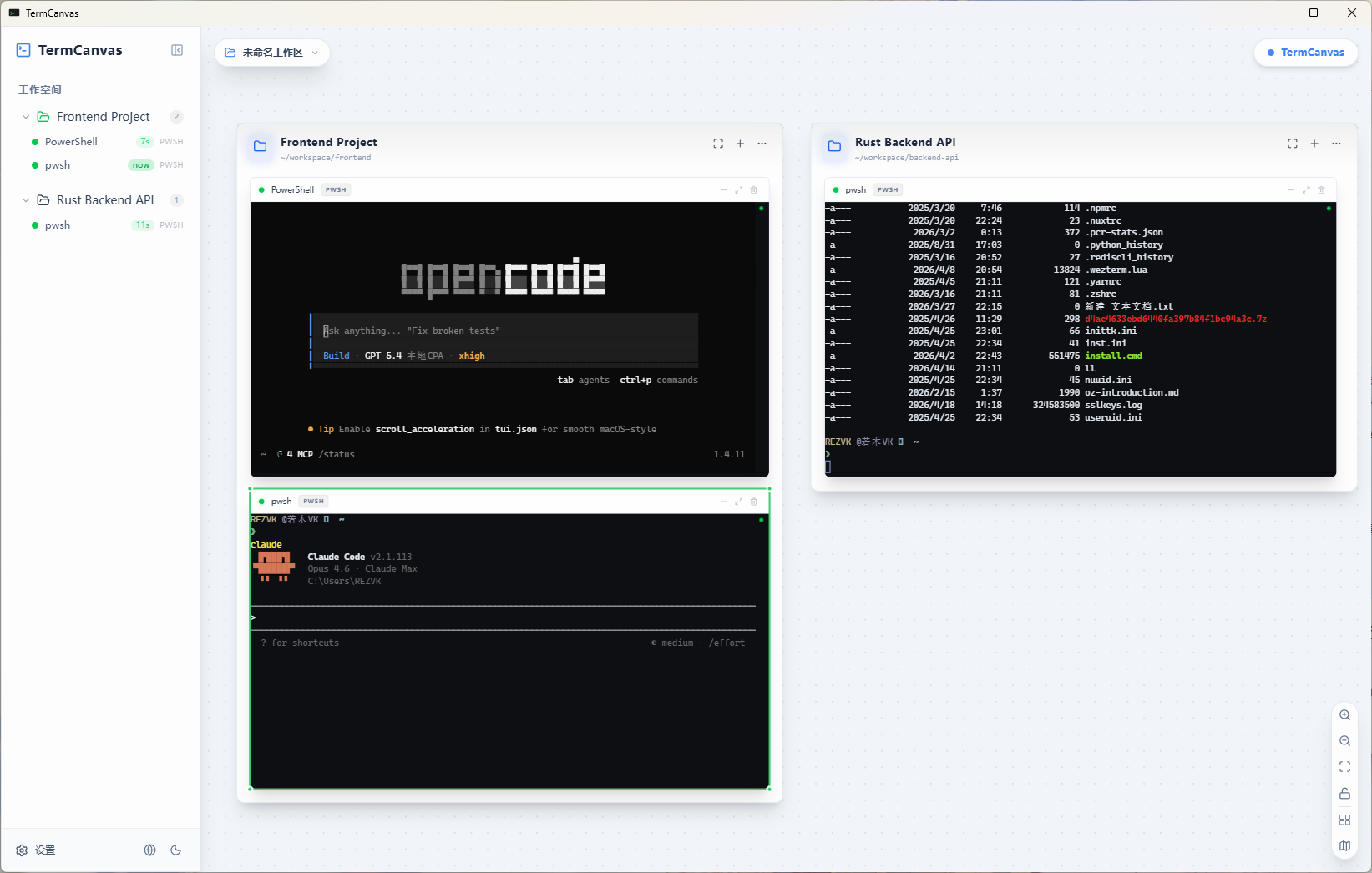
Drag, resize, and group terminal sessions spatially. Monitor everything from your phone. Built for developers who juggle.
A spatial workspace for terminals. See it in action.
Drag terminals anywhere on an infinite zoomable canvas. Group by project. Resize freely. No tabs, no rigid splits. Your spatial memory, finally honored.
Enable remote access, scan the QR code. TermCanvas runs a local WebSocket server — open it on your phone for full access to every terminal, zero latency, over LAN.
PowerShell, CMD, WSL, Bash, Git Bash, Zsh, Fish — auto-detected on your system. Mix and match freely. Each terminal runs its own shell independently.
No upsells, no paid tiers. One purchase unlocks everything.
Zoomable, pannable surface. No tabs, no rigid splits — just drag and place terminals anywhere.
Group terminals into named regions — one per project. Frontend, backend, DB, visually organized.
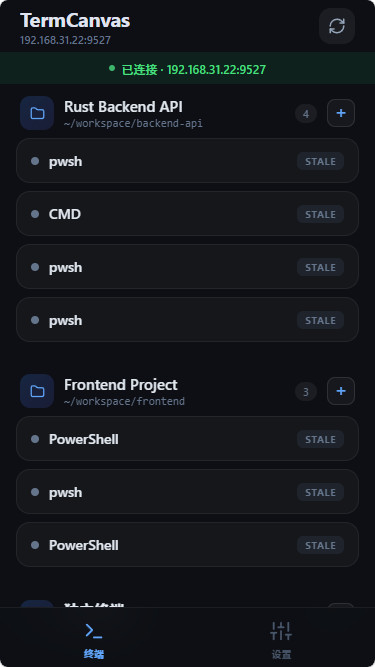
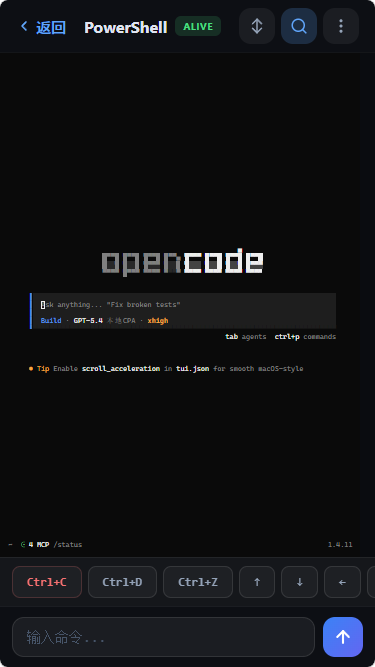
Scan a QR code. Monitor or type into any session from your phone — real-time over LAN.
PowerShell, CMD, WSL, Bash, Git Bash, Zsh, Fish — auto-detected. Mix freely in one workspace.
Save entire layouts. Switch between projects instantly. Your arrangement always waiting.
Terminals auto-fit when resized. Interactive minimap for navigating large workspaces.
Enable remote access in settings, scan the QR code, done.
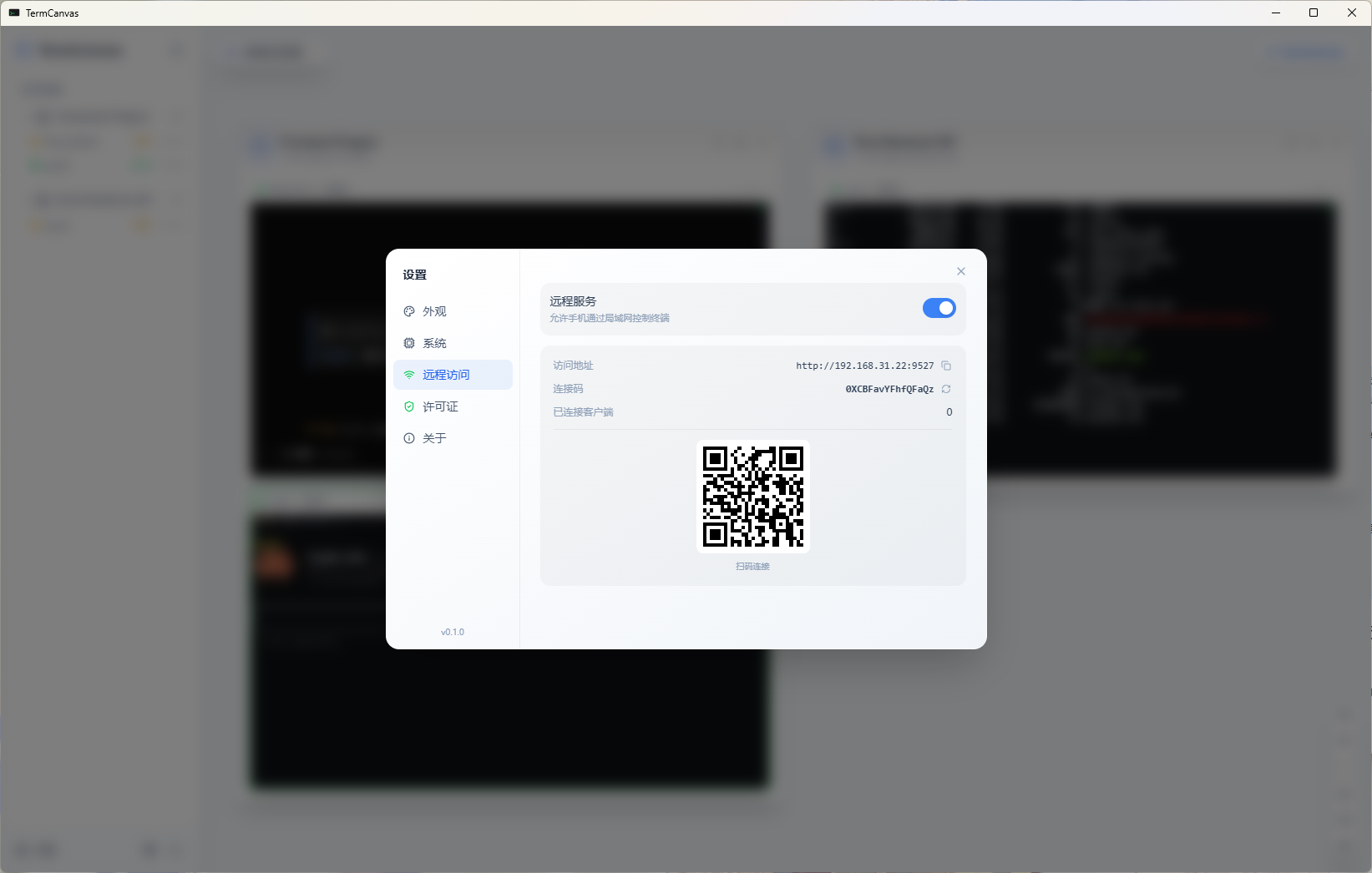
Running a long build? Training a model? Walk away from your desk. TermCanvas runs a local WebSocket server — open it on your phone for full access to every terminal session.
Auto-detects what's installed. Zero config required.
Download once, own forever. No account, no cloud, no subscription.
Grab the installer from Gumroad. Native app for Windows, macOS, and Linux.
termcanvas.app → installLaunch TermCanvas and start placing terminals. Drag, resize, group by project.
Ctrl+N → new terminalEnable remote access in settings, scan the QR code — full control over LAN, instantly.
Settings → Remote → ScanPay once. Use forever. No subscriptions, no tricks.
Join developers who manage their terminals spatially.
Get TermCanvas — $19One-time · No subscription · 14-day money-back